



Budget Monitoring & Alerts for Agencies: Spot Problems Before the Client Calls
15 client accounts, two ad platforms, one monthly budget per client. And every morning you're stuck in a login marathon checking whether anything's spiraling out of control. A broken bid or a campaign without an end date can burn through half a monthly budget overnight. Most of the time, you find out only after the client already has.
The problem isn't a lack of diligence. It's a lack of overview: spend is scattered across Google Ads and Meta, budgets live in a spreadsheet, and nobody checks every single account every single day.
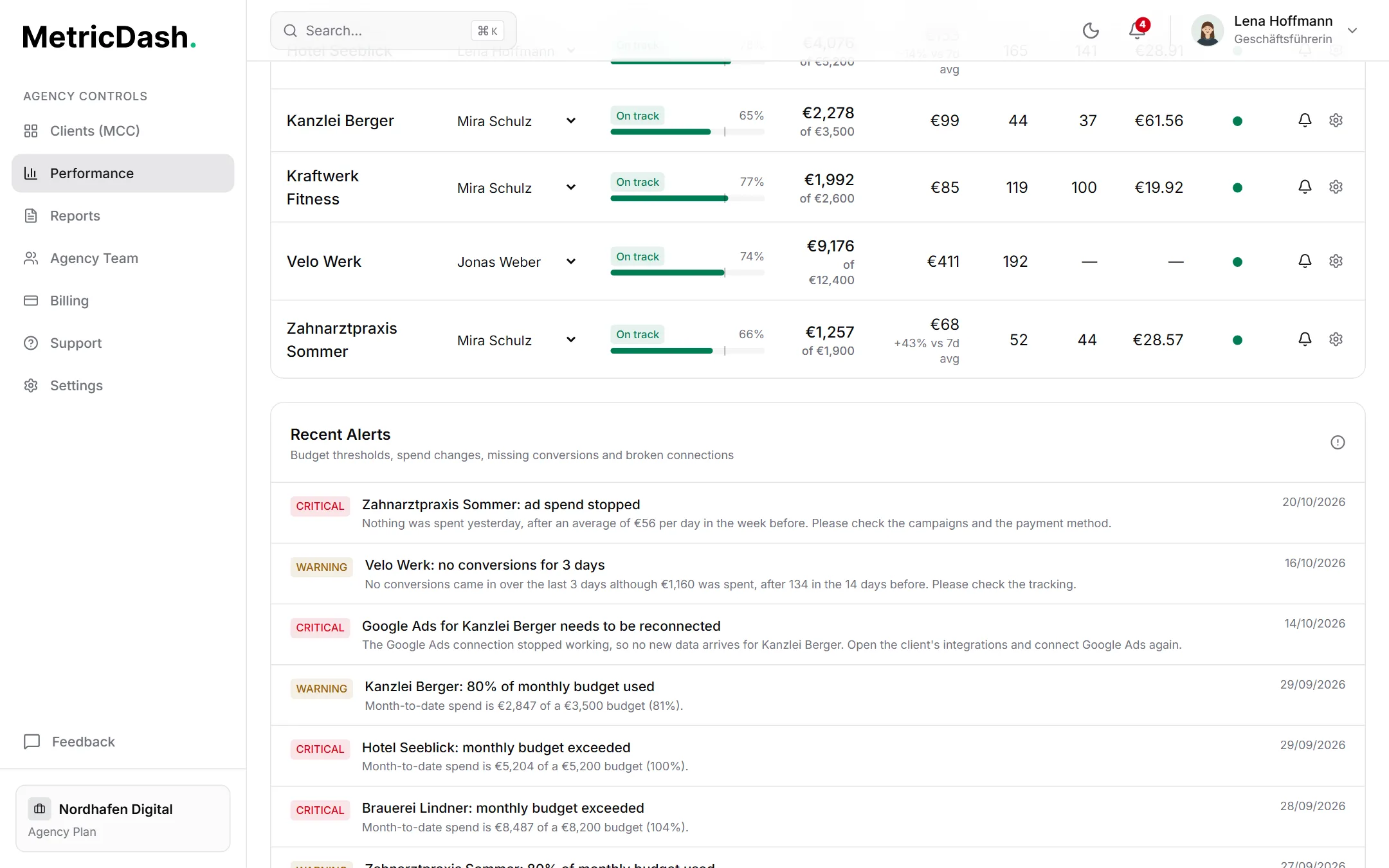
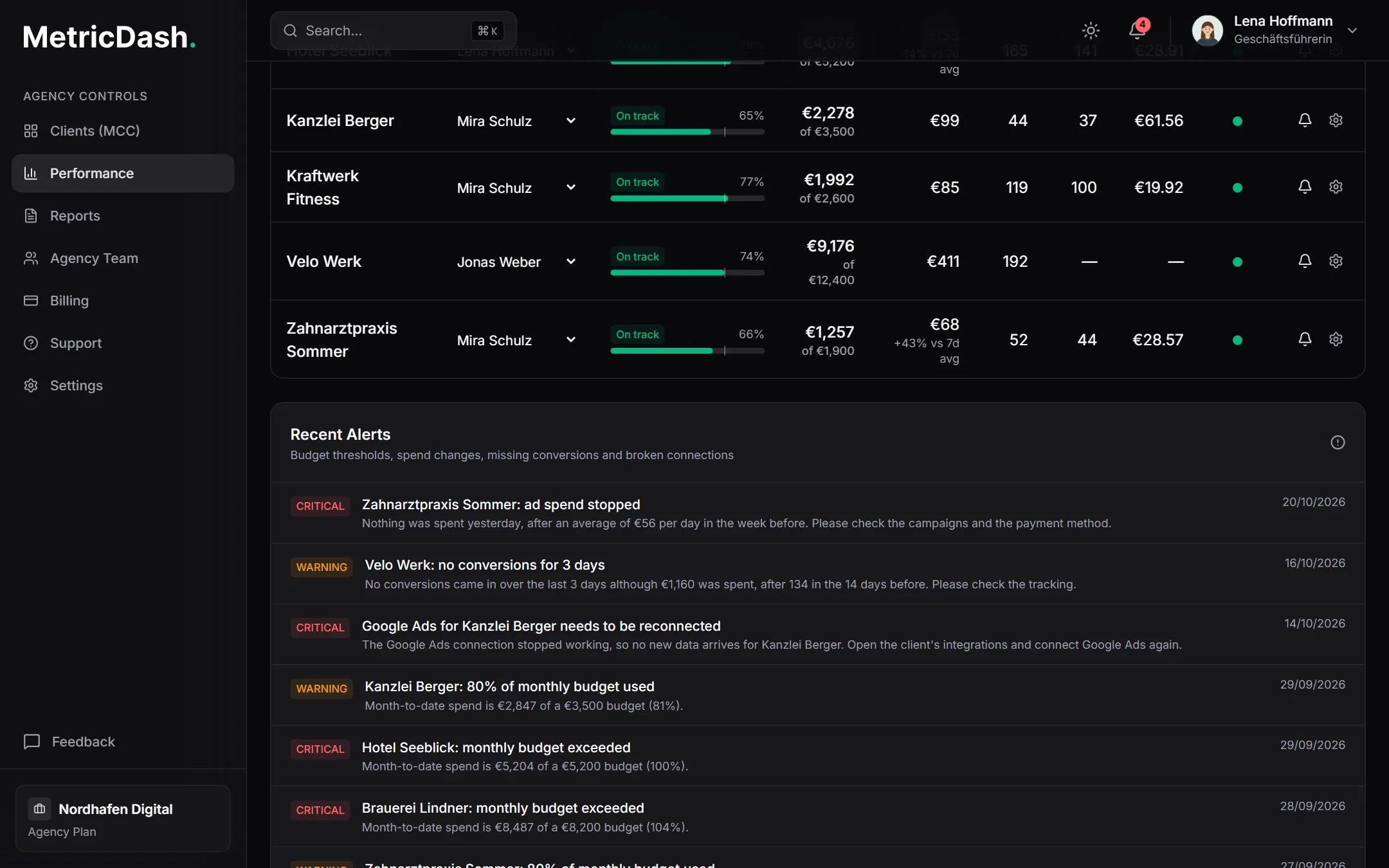
MetricDash pulls every client's spend from Google Ads and Meta every 6 hours, sets it against the monthly budget in a single performance view, and warns you automatically: at 80%, at 100%, and whenever daily spend spikes. In-app and by email, deduplicated, with no inbox flooding.
What this feature does
One performance view for every client
Spend vs. monthly budget, budget utilization as a percentage, and the responsible account manager, for every client, in one overview. Problem accounts are immediately visible instead of hiding behind 15 separate logins. Your team knows within 30 seconds each morning where to look, and your client benefits because problems get caught before they get expensive.
Budget alerts at 80% and 100%
When a client hits 80% of their monthly budget, Owners and Admins automatically get a warning, in-app and by email. Another one follows at 100%. That lets you course-correct before the budget is blown, instead of explaining it to the client afterward. Anyone who doesn't need the emails can turn them off per user.
Anomaly detection for daily spend
MetricDash compares each client's spend from the previous day with the average of the seven days before and flags it when it is significantly higher. You set the sensitivity factor per client, and days under 25 units of the account currency are never checked, so small accounts don't trigger false alarms. Broken bids and runaway campaigns surface the next day, not on the monthly invoice.
Automatic sync every 6 hours
Spend data comes straight from Google Ads and Meta: automatically, every 6 hours, with no manual entry. Each client's daily spend history shows you exactly when something shifted. Handy in client conversations too: “Daily spend spiked on the 12th” beats a gut feeling every time.
Alerts without the inbox flood
Alerts are deduplicated: one problem produces one warning, not twenty. You can review the full history anytime, including to document exactly when you responded. And every user decides for themselves whether they want email notifications at all.
How it works
- 1Connect your ad accountsConnect Google Ads (including via your MCC) and Meta Ads. MetricDash then syncs spend automatically every 6 hours, with the first sync arriving within 6 hours at the latest.
- 2Set the budget and ownerEnter the monthly budget and responsible account manager for each client. Optionally, set the sensitivity factor for anomaly detection, sized to fit the account.
- 3Check one view instead of clicking through accountsThe performance view shows every client with spend, budget utilization as a percentage, and the responsible manager. You spot problem accounts at a glance, no login marathon required.
- 4Get alerted when it countsAt 80% and 100% budget utilization, as well as for spend anomalies, MetricDash warns Owners and Admins: in-app and by email, deduplicated, with a reviewable history.
FAQ
Which ad platforms are covered by budget monitoring?
Spend is automatically synced from Google Ads and Meta Ads every 6 hours (Google Ads including via your MCC). Both platforms feed into each client's spend, budget utilization, and alerts.
How quickly do I find out about a looming budget overrun?
Spend syncs every 6 hours. Since the first alert already fires at 80% of the monthly budget, in practice you get plenty of lead time to course-correct before the budget is actually exceeded.
Will I get flooded with emails if I have many clients?
No. Alerts are deduplicated: the same problem doesn't keep triggering new emails. On top of that, every user can turn off email notifications for themselves; the alert history stays viewable in the app.
How exactly does anomaly detection work?
MetricDash compares each client's spend from the previous day with the average of the seven days before. If it is significantly higher, an alert fires. You set the factor for “significantly” per client. Days under 25 units of the account currency are never checked, so small accounts stay free of false alarms.
What does MetricDash cost?
MetricDash costs per client account, never per data source: Free at €0 with 1 client account, Pro at €49, Agency starting at €99 with 3 client accounts included, then €29 per account, just €19 from the 11th onward. We're currently in open alpha, so everything is free right now, no credit card required.
Related topics
Try MetricDash for free
Currently in open alpha: every feature free, connect unlimited clients, no credit card required.
Start for free →