



Website Monitoring & SEO Reporting for Agencies
Search Console in one tab, your web analytics in the next, and you check PageSpeed manually, if at all. Your clients' SEO data is scattered across several tools, none of which are built for agencies managing multiple clients. For monthly reporting, that means collecting screenshots, copying numbers together, and building slides.
The real problem: nobody sees what happens between reports. A load-time regression after a website update goes unnoticed until rankings and traffic have already reacted. And when the client asks what their SEO spend is actually delivering, the scavenger hunt starts all over again.
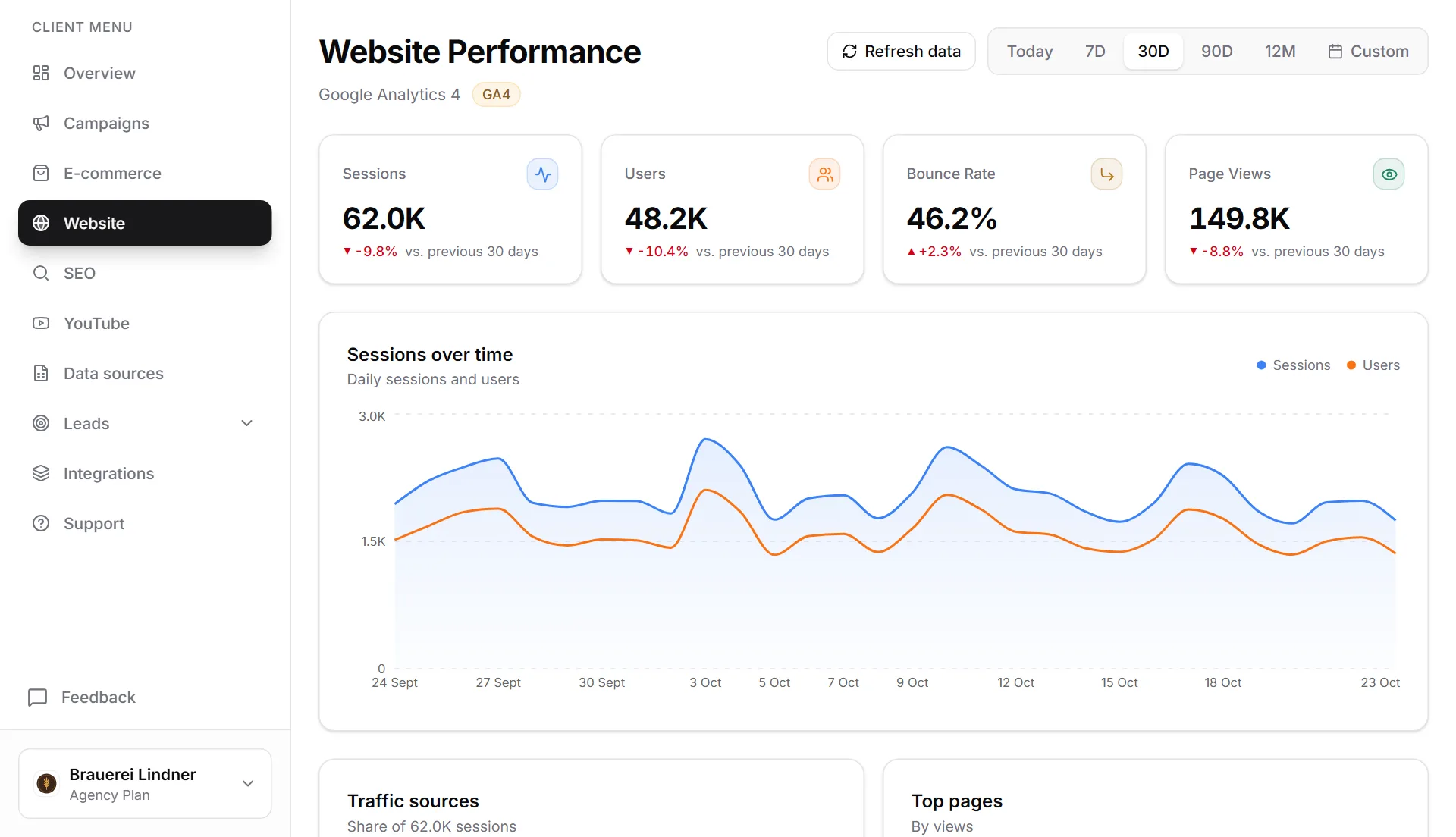
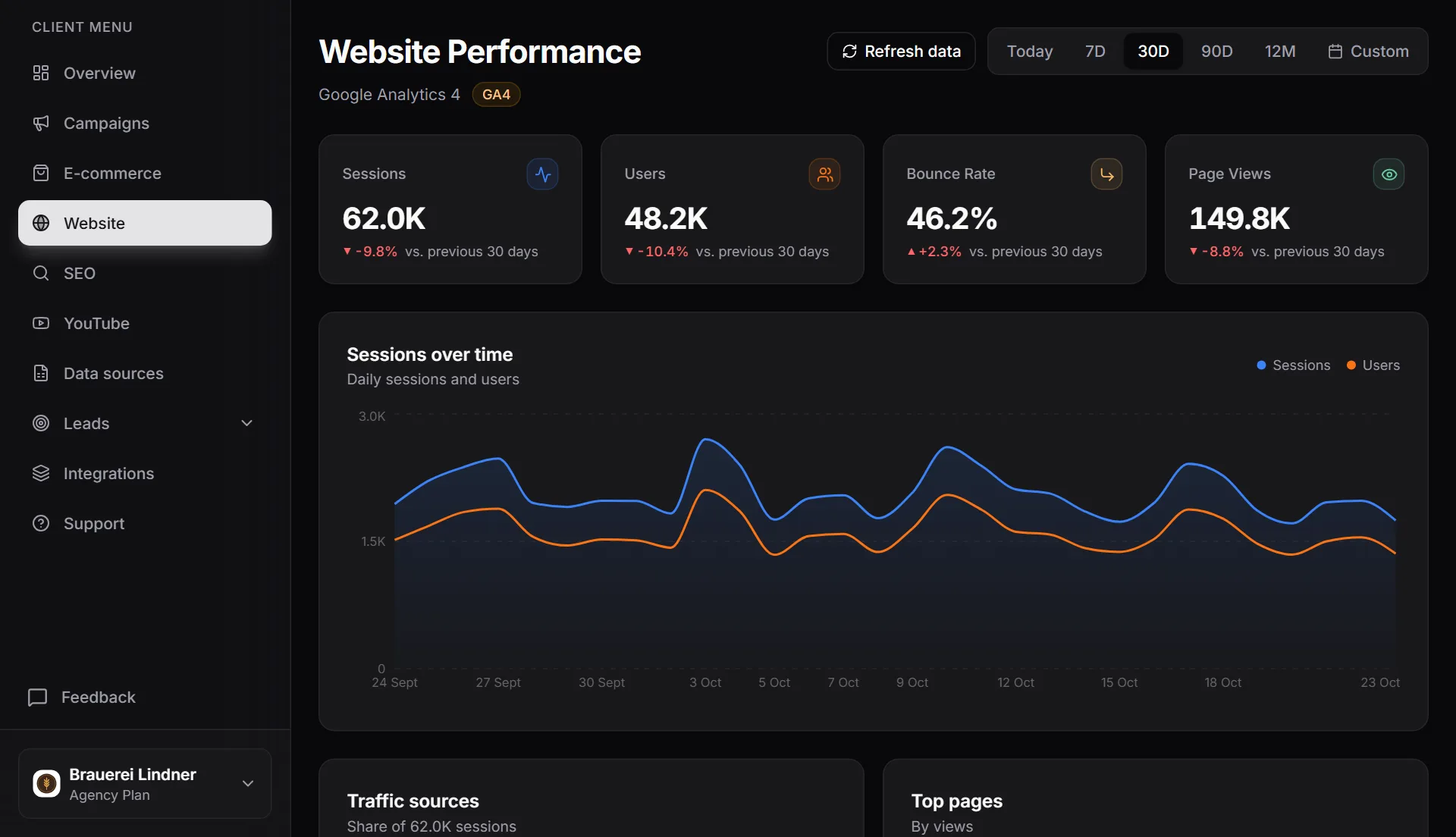
MetricDash brings Google Search Console, your web analytics (GA4, Rybbit, Plausible, or Umami), and PageSpeed monitoring together in one view per client, right alongside Google Ads and Meta Ads. Automatic scans run twice daily, and organic search gets its own section in the automatic reports. Your SEO work becomes visible without you having to build separate SEO reports.
What this feature does
PageSpeed monitoring: twice daily, automatic
MetricDash scans every client website twice a day via Google PageSpeed and keeps an eye on performance scores. Load-time regressions after a deployment or plugin update show up immediately, not only once the client reaches out or rankings start slipping. You react before it gets expensive.
Search Console built in: rankings without tab-hopping
All search queries with clicks, impressions, CTR, and position, plus individual page performance in Google Search, right inside the client dashboard. You see at a glance which queries are growing, and your client finally understands what their website actually ranks for.
Website traffic in context
Sessions, users, top pages, and traffic channels (organic, paid, direct, referral) pull in automatically from GA4, Rybbit, Plausible, or Umami, without you clicking through their interfaces. That way you can answer in seconds where traffic comes from and which content drives it, for you and for your client.
A dedicated SEO section in automatic reports
Organic search gets its own section in automatic client reports. Your SEO work becomes visible to clients month after month without you building separate SEO reports. That saves you hours and gives the client a tangible reason to keep the retainer going.
Paid and organic, side by side
All website and SEO data lives in the same view as ad data from Google Ads and Meta Ads, per client. You immediately see how paid and organic traffic complement each other, and your client gets the full picture instead of isolated channel reports.
How it works
- 1Create a client accountSet up a dedicated account for each client in MetricDash. Billing is always per client, never per data source.
- 2Connect Search Console and web analyticsConnect the client's Google Search Console and analytics tool: GA4, Rybbit, Plausible, or Umami. Search queries, traffic channels, and page performance start flowing in automatically right away.
- 3PageSpeed monitoring kicks inMetricDash automatically scans the website twice a day via Google PageSpeed. You see performance scores and load-time regressions directly in the dashboard.
- 4Reports go out automaticallyOrganic search appears as its own section in automatic client reports, alongside the ad data, with no extra manual work.
FAQ
Does MetricDash replace an SEO tool like Sistrix or Ahrefs?
No, and that's by design. MetricDash doesn't do keyword research or backlink analysis. It does monitoring and reporting: Search Console, web analytics, and PageSpeed for each client in one view, right next to your ad data. Keep your specialized tool for research; for ongoing client reporting, you won't need one anymore.
What SEO data do I see in MetricDash?
From Google Search Console: search queries with clicks, impressions, CTR, and position, plus individual page performance in Google Search. From your web analytics tool (GA4, Rybbit, Plausible, or Umami): sessions, users, traffic channels (organic, paid, direct, referral), and top pages. Plus performance scores from the automatic PageSpeed scans.
How quickly do I notice if a website gets slower?
MetricDash scans every client website twice a day via Google PageSpeed. So a load-time regression (after a website update, say) shows up the same day at the latest, not just at the next monthly report.
Does the SEO integration cost extra?
No. MetricDash bills per client account, never per data source. Search Console, web analytics, and PageSpeed monitoring for a client count as one client account, just like their Google Ads and Meta Ads accounts. Free costs €0 (1 client account), Pro is €49, Agency starts at €99 with 3 client accounts included, then €29 per account, just €19 from the 11th onward.
Can I try MetricDash for free?
Yes, we're currently in open alpha, during which every feature is completely free, no credit card required. After that, you can start on the Free plan (1 client account, €0) or move to Pro or Agency.
Related topics
Try MetricDash for free
Currently in open alpha: every feature free, connect unlimited clients, no credit card required.
Start for free →