



Client Portals for Agencies: Your Clients See Their Own Numbers, with Their Own Login
“How's the campaign doing right now?” When that email lands for the third time this week, something's off with your reporting. PDF reports are outdated the moment you hit send. So you assemble screenshots, export tables, and answer questions that a quick look at a dashboard would settle instantly, except your client doesn't have a dashboard.
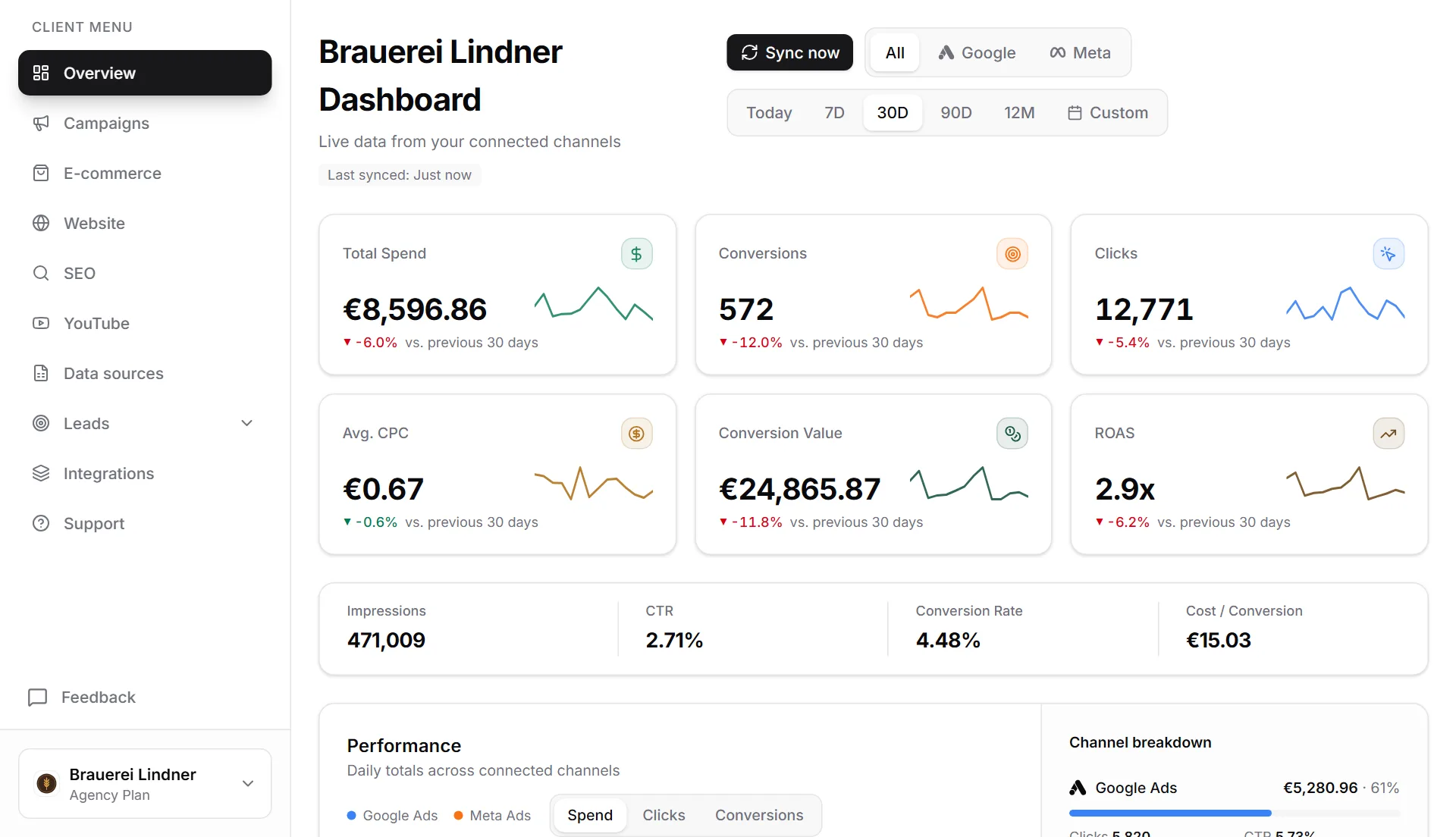
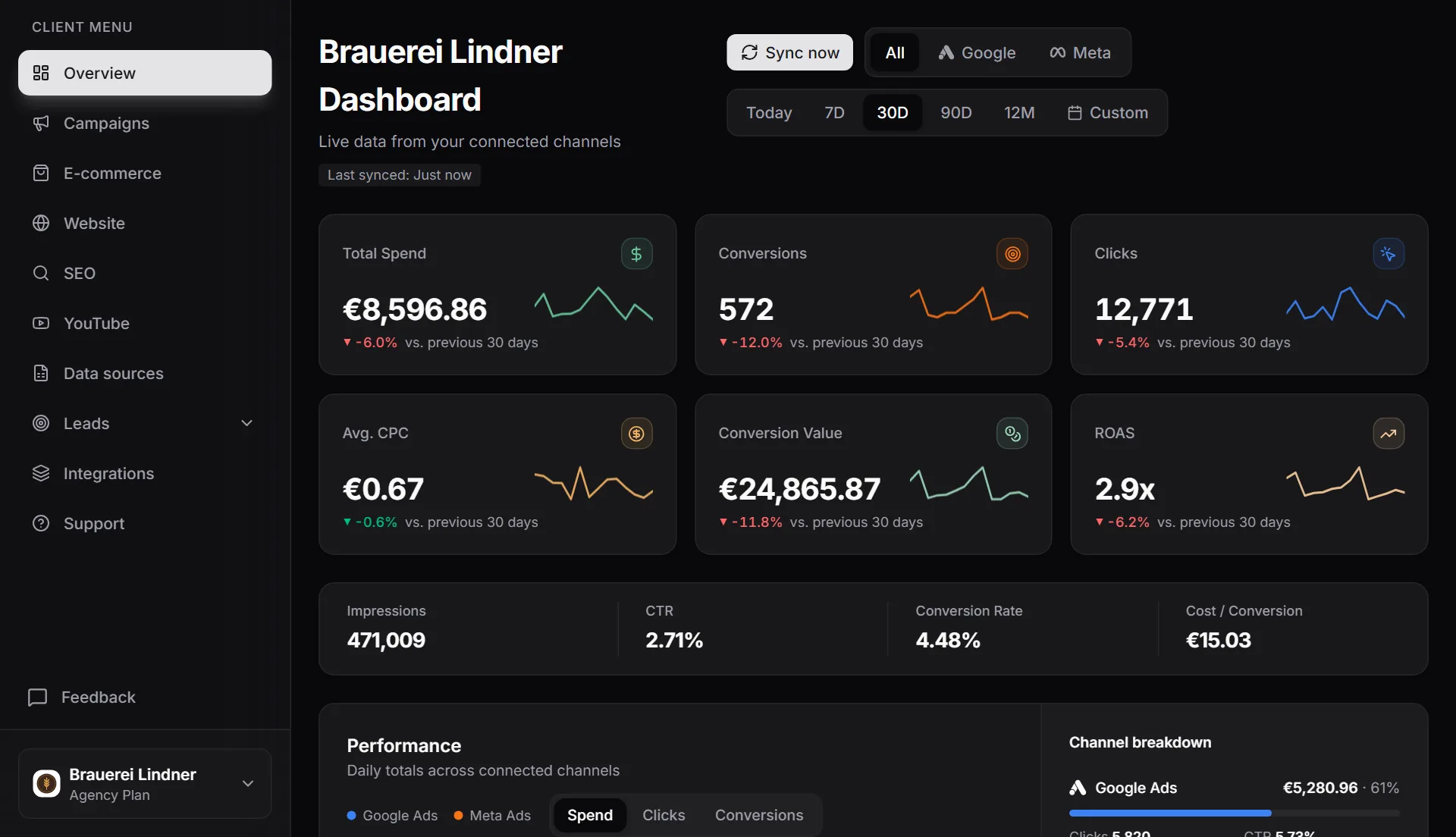
With MetricDash's client portals, every client gets their own login. They see campaigns, leads, website data, and SEO numbers live, with no agency internals in sight. Instead of waiting on screenshots from you, they simply check for themselves: after logging in, they land straight in their own dashboard, no detours. With viewer access the portal is read-only; client owners can also connect their own accounts and record leads.
The result: fewer status-update emails, a more professional presence, and clients who see the value of your work every single day. Client portals are part of the Agency plan, and completely free to try during the current open alpha.
What this feature does
Dedicated logins instead of PDF reports
You invite your clients via an email link, they set up their access, and that's it. Instead of waiting for the monthly report, they see campaigns, leads, website data, and SEO in real time, whenever they want. You skip building interim updates, and your client gets current numbers instead of outdated PDFs.
Plus: report pages carry your agency's logo
The portal runs inside the MetricDash interface, but your shareable report pages carry your signature: upload your square logo and wordmark, and every report page your client opens through the link appears with your agency logo in the header and footer. The Agency plan drops the “powered by MetricDash” mention entirely. The notification email itself is sent by MetricDash on your agency's behalf, with your agency name in the header.
Straight into the dashboard, no detours
Your client logs in and lands directly in their dashboard. No agency context, no other clients' projects, no menus that don't concern them. They see exactly their own numbers, which makes the portal usable even for people who aren't in ad accounts every day.
Roles and team management inside the portal
The client-side owner manages their own team and invites additional users directly in the portal. Viewers can see the numbers, and the owner keeps control. That gives leadership the same access as the marketing team, with zero administrative work landing on your desk.
Privacy built into the lead section
The leads section only becomes visible after the user provides a one-time privacy acknowledgment, combined with strict data minimization. You can share lead data without GDPR headaches, and your client can see their data is being handled responsibly.
Fewer “How's the campaign doing?” emails
When clients can see their own numbers, they ask fewer status questions, and your conversations shift to strategy instead of chasing down data. That saves you time every week and builds long-term loyalty, because your work stays visible all the time instead of once a month.
How it works
- 1Connect the data sourcesConnect Google Ads (including via your MCC), Meta Ads, and Google Search Console for the client account. Website data comes from GA4, Rybbit, Plausible, or Umami. Every number flows into one place.
- 2Add your logo to report pagesUpload your square logo and wordmark. From now on, every report page your client opens through the shareable link carries your agency logo in the header and footer.
- 3Invite clients by emailSend the invitation as an email link. Your client creates their login and lands directly in their dashboard, no setup, no training required.
- 4Your client operates independentlyThe owner invites their team, and everyone sees campaigns, leads, website data, and SEO in real time. You hear from your client when it's about strategy, not about status updates.
FAQ
Which plan includes client portals?
The Agency plan, starting at €99/month. Three client accounts are included, with each additional one costing €29/month, dropping to €19 from the eleventh onward. You always pay per client, never per data source. We're currently in open alpha, so everything is free right now, including client portals, no credit card required.
Will my client see that MetricDash is behind the portal?
Yes, the portal runs inside the MetricDash interface, not on your own domain. What matters to your client: they log in and land directly in their own dashboard (read-only with viewer access), with no agency internals and no other clients' projects in view. Your reports, on the other hand, carry your agency logo and name, and the Agency plan drops the “powered by MetricDash” mention.
What do my clients see in the portal?
Their own numbers in real time: campaigns from Google Ads and Meta Ads, leads, website data from GA4, Rybbit, Plausible, or Umami, and SEO data from Google Search Console. Every client sees only their own dashboard, never another client's data.
Can my client invite additional users themselves?
Yes. The client-side owner manages their own team directly in the portal and invites additional users by email. Viewers can view the numbers, and the owner handles team management. You don't have to do anything.
How is data privacy for lead data handled?
The leads section only becomes visible after the user provides a one-time privacy acknowledgment. On top of that, the principle of data minimization applies: only what's genuinely needed is displayed.
Related topics
Try MetricDash for free
Currently in open alpha: every feature free, connect unlimited clients, no credit card required.
Start for free →