



Agency Dashboard: The command center for all your clients
Monday morning, 14 clients, four platforms: you click through Google Ads, Meta Business Manager, and GA4, copy numbers into a spreadsheet, and only days later realize one client's monthly budget blew through the roof. At most agencies, keeping an overview across every account is manual work that eats time every day and still leaves gaps.
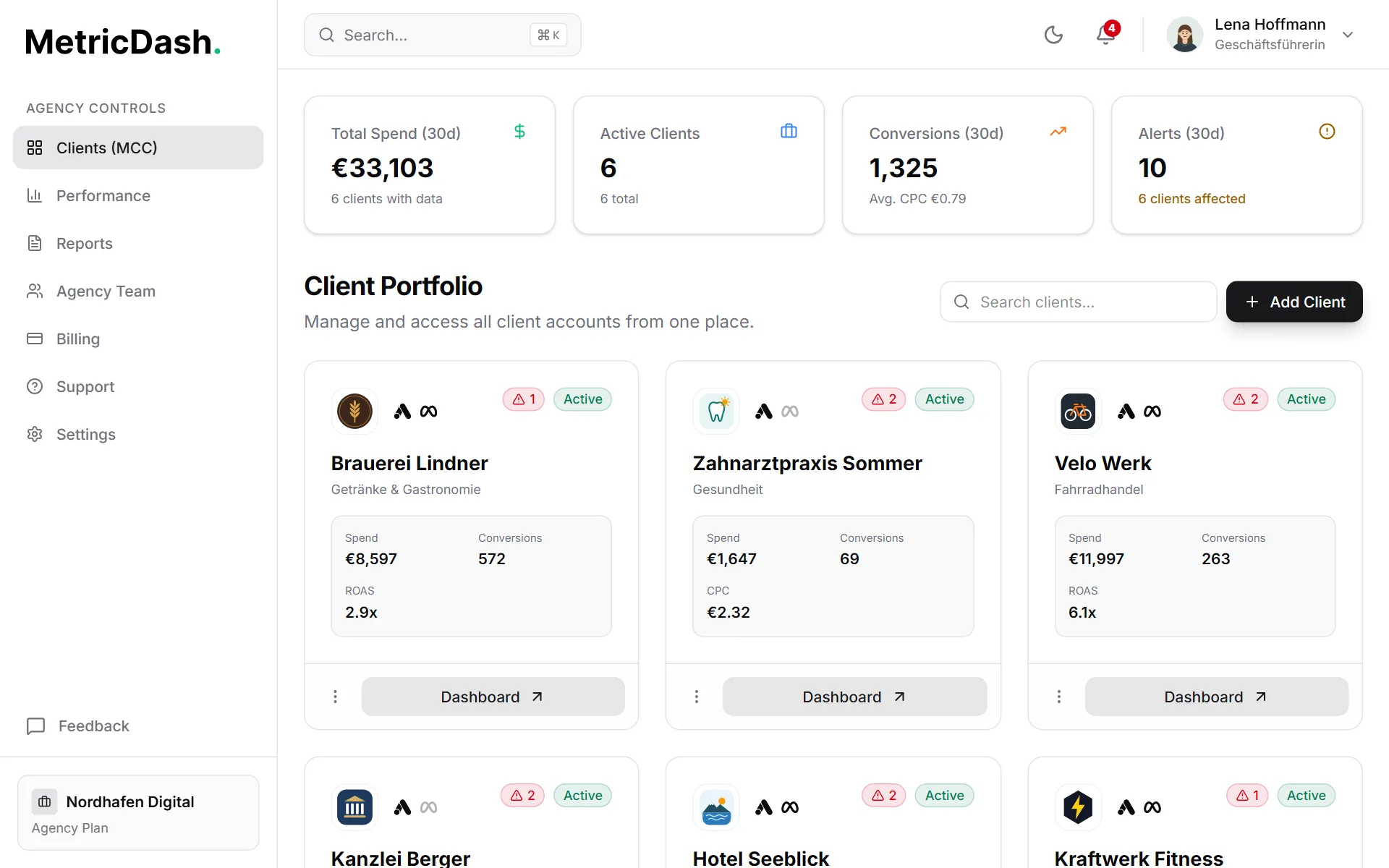
MetricDash's agency dashboard replaces that routine with a card grid: one card per client, showing up to four metrics of your choice, whether Google Ads and Meta Ads are connected, and how many alerts fired recently. Above it sits an aggregated header with total spend, conversions, average CPC, active clients, and the alerts of the last 30 days across every client. One glance tells you exactly where your attention belongs today.
On top of that, you get everything an agency needs day to day: add clients with industry, monthly budget, and currency, invite team members with clearly defined roles, and jump to the right account in seconds using the command palette, on desktop and on mobile alike.
What this feature does
Client overview as a card grid
Every client gets a card with up to four metrics of your choice (pick from spend, conversions, ROAS, leads, clicks, impressions, CTR, and CPC). Icons show whether Google Ads and Meta Ads are connected, and a badge counts the budget and spend alerts of the last 30 days, so you see exactly where you need to look. Your team spots problems before the client calls, and the client gets the kind of attention that never misses a beat.
An aggregated header across all clients
Total spend (or total budget, as long as no spend data has synced yet), conversions with average CPC, active and inactive clients, and the alerts of the last 30 days, all rolled up across every client. You can see in seconds whether your agency is on track overall, without opening a single ad account. It's the perfect starting point for your morning check and team meeting.
Client management without the friction
Add a client with name, industry, monthly budget, and currency in under a minute; searching by name or industry keeps things organized even with 30+ accounts. One click on a card opens the detail view with campaigns, leads, website, SEO, and integrations. New clients are up and running fast, and every existing client gets one tidy home for all their data.
Team & roles with an activity log
Four roles (Owner, Admin, Editor, Viewer) define who can do what, and you assign a responsible account manager to each client. The activity log documents who changed what and when. That protects sensitive client data and gives you a clear answer instead of guesswork whenever a client asks.
Fast via command palette, usable on any device
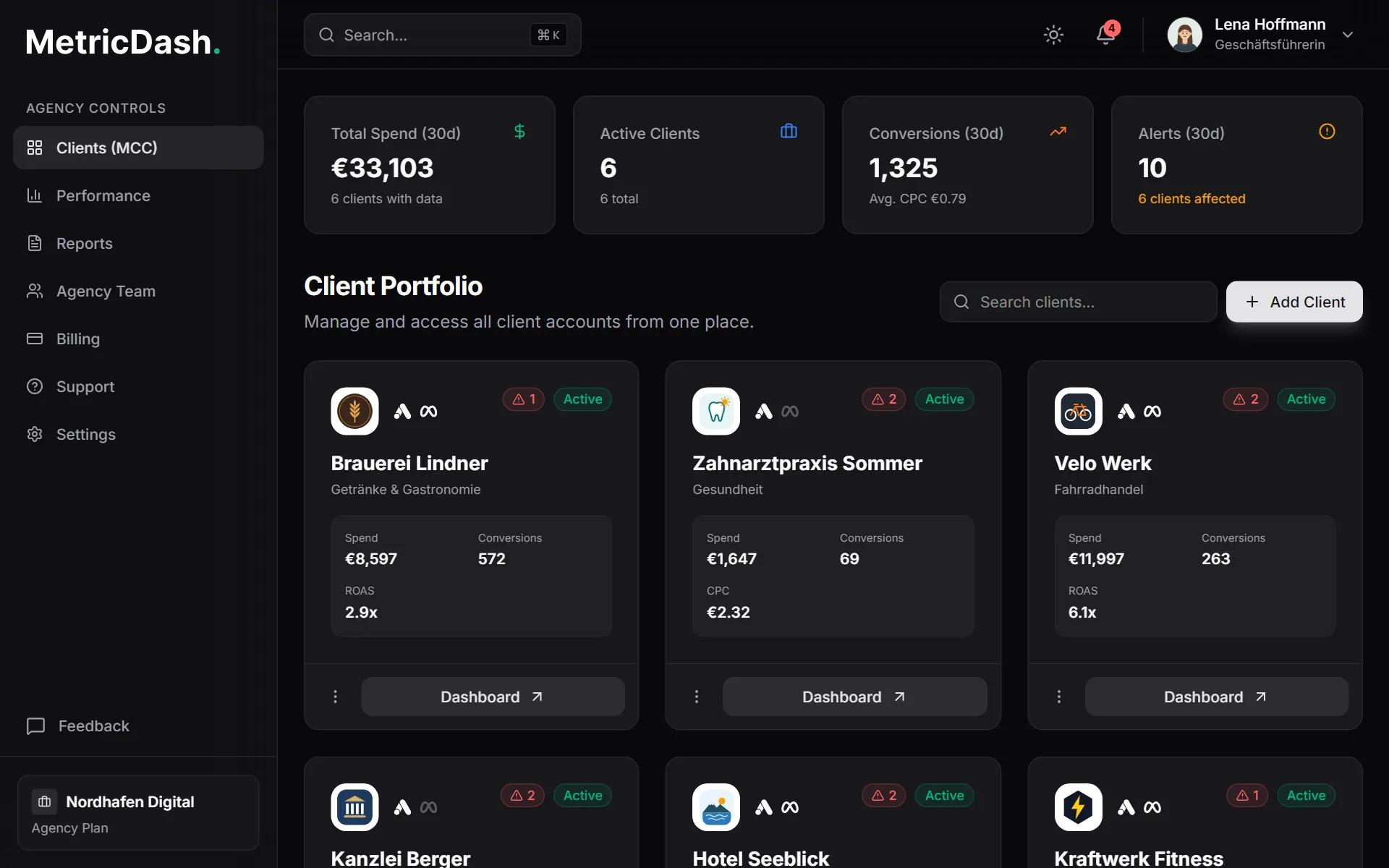
The command palette lets you jump straight to the right client through quick search, instead of clicking through menus. The dashboard is fully mobile-friendly and supports dark and light mode. That means you have every account's status ready on your phone even five minutes before a client meeting.
How it works
- 1Add your clientsEnter a name, industry, monthly budget, and currency. The client instantly shows up as a card in the grid. Searching by name or industry keeps things organized no matter how many accounts you manage.
- 2Connect integrationsLink Google Ads (including via your MCC), Meta Ads, GA4, and Google Search Console for each client. Website data can alternatively come from Rybbit, Plausible, or Umami. The card shows whether Google Ads and Meta Ads are connected.
- 3Configure the cardsChoose up to four metrics for each client's card: ROAS and spend for an e-commerce shop, leads and CPC for a B2B client. Every card shows what really matters for that client.
- 4Invite your teamInvite members as Owner, Admin, Editor, or Viewer, and assign an account manager to each client. From that point on, the activity log tracks who changed what.
FAQ
What does MetricDash cost for agencies?
MetricDash bills per client account, never per data source. Free costs €0 with one client account, Pro is €49, and Agency starts at €99 per month with three client accounts included; each additional account is €29, dropping to €19 from the eleventh onward. We're currently in open alpha, so everything is free right now, no credit card required.
Which metrics can I show on client cards?
For each client, you choose up to four out of eight metrics: spend, conversions, ROAS, leads, clicks, impressions, CTR, and CPC. That way every card shows exactly what matters for that client: ROAS for an e-commerce shop, leads and CPC for a B2B client.
Which data sources feed into the agency dashboard?
Google Ads (including MCC manager accounts), Meta Ads, Google Analytics 4, and Google Search Console, plus the privacy-analytics tools Rybbit, Plausible, and Umami, which fill the website tab of the client view. Every client card shows whether Google Ads and Meta Ads are connected.
How does my team collaborate in the dashboard?
You invite members with one of four roles (Owner, Admin, Editor, or Viewer) and assign each client to a responsible account manager. The activity log tracks who changed what. That way everyone sees only what they're supposed to, and every question can be traced back to an answer.
Does the agency dashboard work on the go?
Yes, the dashboard is fully mobile-friendly, so you can check every client's status on your phone even minutes before a meeting. On desktop, the command palette gets you to the right client in seconds, and you can switch between dark and light mode anytime.
Related topics
Try MetricDash for free
Currently in open alpha: every feature free, connect unlimited clients, no credit card required.
Start for free →